

Your Success, Our Mission!
6000+ Careers Transformed.
Imagine locking your office door every night but leaving all your confidential files unsealed on the desk. Even though no one can walk in easily, if they somehow do, they can still read everything.
That’s exactly what happens when you secure MongoDB with authentication but don’t encrypt your stored data. If someone gains access to your database files or disks, they can directly extract raw information — customer details, transactions, passwords — without ever logging in.
That’s where Encryption at Rest comes in. It ensures that data stored on disk is unreadable to anyone who doesn’t have the encryption key. Even if attackers get the physical files, all they’ll see is encrypted data.
What encryption at rest means in MongoDB
How to enable the Encrypted Storage Engine (AES-256)
How to create and manage encryption keys securely
By the end, your MongoDB instance will be like a vault — even if someone breaks in, they won’t get the gold.
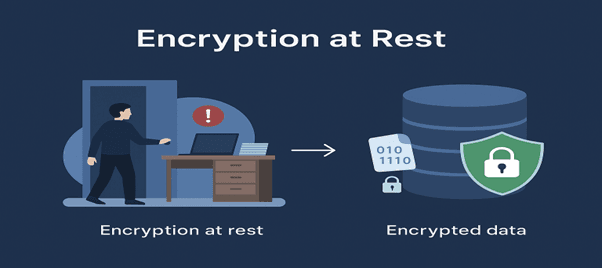
Encryption at Rest means encrypting data when it is stored on disk — including collections, indexes, and metadata.
MongoDB uses the Encrypted Storage Engine, which performs encryption and decryption automatically during read/write operations.
Key Idea:
Data stays encrypted on disk but is transparently decrypted when accessed by authorized applications.
Step 1: Create an Encryption Key
This key will be used by MongoDB to encrypt your stored data.
openssl rand -base64 32 > /etc/mongodb-keyfile chmod 600 /etc/mongodb-keyfile chown mongodb:mongodb /etc/mongodb-keyfile
Step 2: Enable Encryption in the Configuration File
Edit your mongod.conf file:
security: enableEncryption: true encryptionKeyFile: /etc/mongodb-keyfile
Step 3: Restart MongoDB
sudo systemctl restart mongod
Now, all your database files on disk are encrypted using AES-256.
You can check if encryption is enabled:
db.serverStatus().encryptionAtRest
If successful, you’ll see output confirming encryption is active.
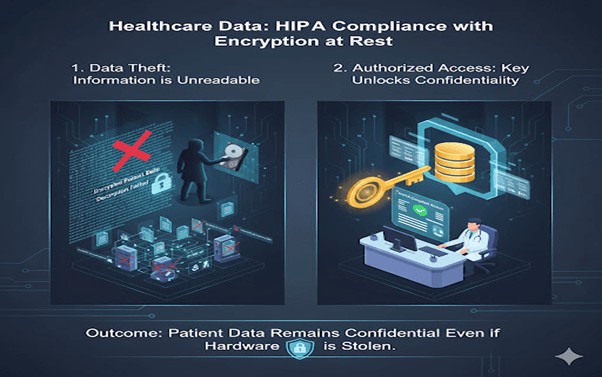
1. Healthcare Records
A hospital stores patient medical histories in MongoDB. To comply with HIPAA, they enable encryption at rest so that stolen drives or backups reveal nothing without the encryption key.
Outcome:
Patient data remains confidential even in case of hardware theft.
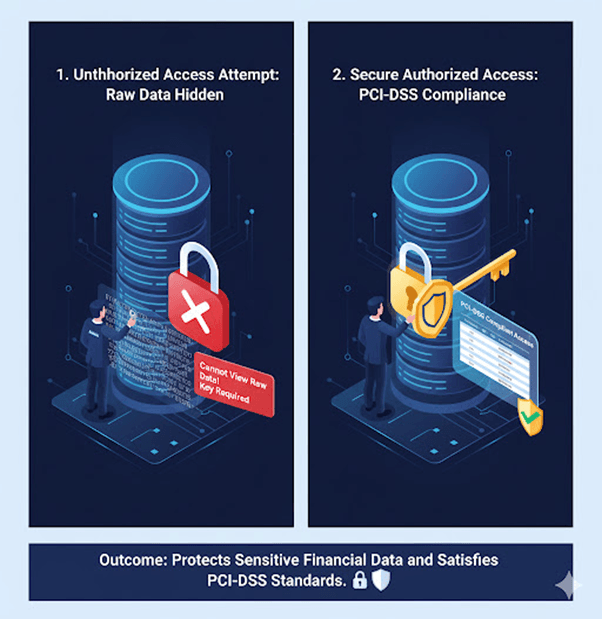
2. Banking and FinTech
A payment gateway uses MongoDB for transaction logs. By enabling encryption at rest, even database administrators can’t view raw data without proper authorization.
Outcome:
Protects sensitive financial data and satisfies PCI-DSS standards.
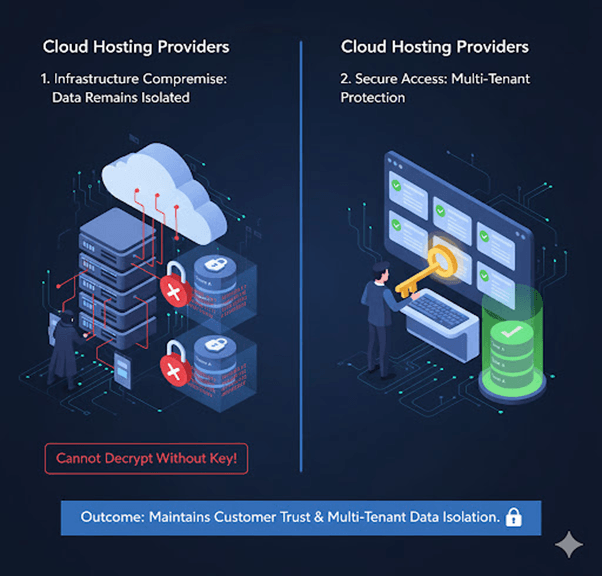
3. Cloud Hosting Providers
A SaaS company hosts MongoDB in multiple virtual machines. Encryption at rest ensures that even if cloud infrastructure is compromised, tenant data stays unreadable.
Outcome:
Maintains customer trust and multi-tenant data isolation.
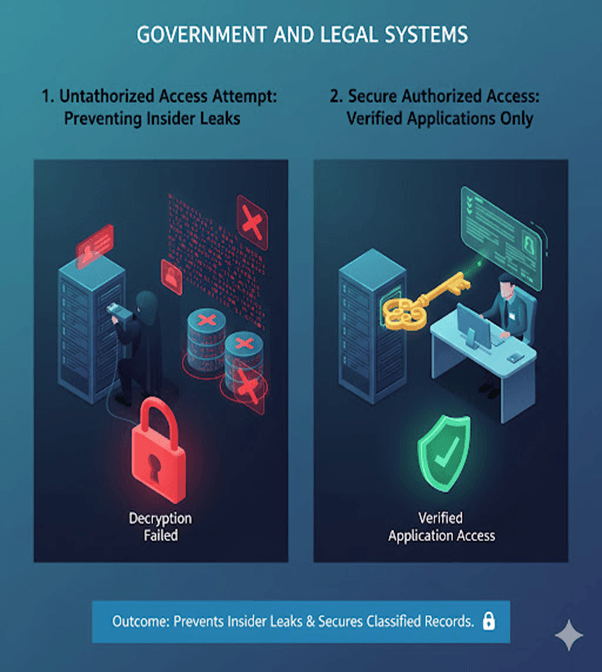
4. Government and Legal Systems
Sensitive legal documents and citizen records are encrypted on disk, ensuring that only verified applications can read or decrypt them.
Outcome:
Prevents insider leaks and secures classified records.
Top Tutorials

Python
Python is a popular and versatile programming language used for a wide variety of tasks, including web development, data analysis, artificial intelligence, and more.
SQL
The SQL for Beginners Tutorial is a concise and easy-to-follow guide designed for individuals new to Structured Query Language (SQL). It covers the fundamentals of SQL, a powerful programming language used for managing relational databases. The tutorial introduces key concepts such as creating, retrieving, updating, and deleting data in a database using SQL queries.

Data Science
Learn Data Science for free with our data science tutorial. Explore essential skills, tools, and techniques to master Data Science and kickstart your career

 in Bengaluru, India


All Courses (6)
Master's Degree (2)
Fellowship (2)
Certifications (2)


 Using the Encrypted Storage Engine



 in Bengaluru, India
